
VRTV VR Video Player
Chai SoftwareVideo Players & Editors
3.599.00 Reviews
- Version
- 3.6.1
- Installs
- 10.00K
- Age Rating
- Everyone
Screenshots
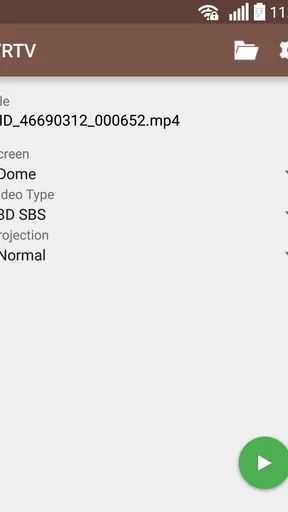
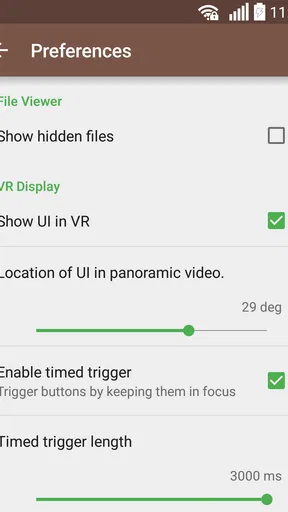
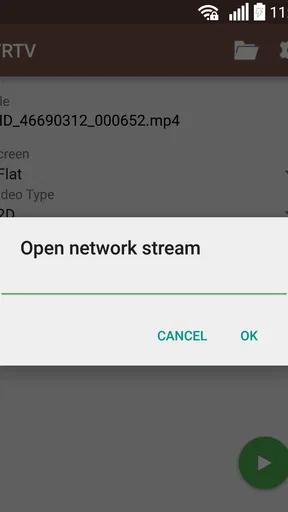
Our Review of VRTV VR Video Player
 Analysis by Appyee
I judge a VR video player less by how many controls it offers than by whether it makes a personal video library easy to enjoy without turning setup into a project. VRTV VR Video Player has an appealing focus: it is a dedicated viewer for watching stored VR video, rather than a general-purpose video app with immersive viewing tacked on. That focus can make it a useful option if you already have videos ready to play and want to spend less time hunting for them. I’d approach it with measured expectations, though: a polished player cannot fix an uncomfortable headset, a phone that struggles with a large file, or a video that was made for a different viewing layout.
Where a dedicated VR player earns its place
In everyday use, the first question is not whether a player has a long settings menu; it is whether I can get from choosing a video to watching it comfortably. VRTV’s library-scanning approach is meant to help with that first step. If your clips are scattered among folders, automatic discovery can save repeated browsing. It is particularly handy when you have downloaded a few videos for a trip or saved recordings that you want to revisit without searching through a file manager each time.
The trade-off is that an automatically gathered library is only as tidy as the videos on the device. If you keep unrelated clips alongside VR material, it is worth organizing them before settling in, so choosing something to watch does not become a session of trial and error. I also recommend checking that a file is stored locally and ready before putting on a headset. That small bit of preparation is more comfortable than taking the headset off whenever you need to find or move a video.
Choosing the right kind of footage
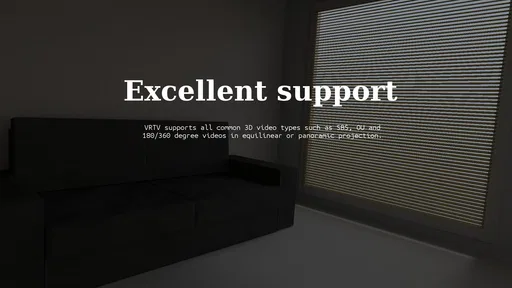
VR labels can be confusing because “3D,” “180°,” and “360°” describe different viewing experiences, not interchangeable quality levels. VRTV’s broad format support is useful when your library contains more than one kind, but it still helps to know how a particular clip was recorded. A 360-degree scene asks you to look around, while a forward-facing video keeps attention in one direction; 3D adds a sense of depth rather than expanding the view. Picking the right viewing mode for the footage matters more than endlessly changing settings after playback begins.
For a practical test, I’d start with a short, familiar clip rather than a long film. Check whether the image fills the view in a way that feels natural, whether the perspective matches the content, and whether you can use the controls without breaking your viewing position. If something looks stretched or the scene feels wrongly framed, pause and try another viewing mode before assuming the file itself is poor. This quick check can spare you from spending half a movie watching an uncomfortable or distorted image.
Comfort is part of picture quality
VR video is unusually sensitive to small setup problems. A screen that seems fine on a phone can feel tiring when magnified inside a headset, and a clip with lots of camera movement may be uncomfortable even when playback is smooth. I’d treat screen size and viewing mode as comfort controls, not just cosmetic preferences. A slightly smaller image or a less immersive layout can be a better choice for a long session if it lets you watch without constantly adjusting the headset.
That also shapes when I’d use the app. A short 180-degree travel clip can work well as a break at home, while a long, rapidly moving video is a poor first test if you are new to VR. Start seated, keep the first session brief, and stop if the imagery feels unpleasant. Those choices are not special tricks in the player, but they make a dedicated VR viewer much easier to evaluate fairly.
Who should consider it
VRTV is most compelling for someone who already watches locally stored VR footage and wants a player built around that habit. If you have a compatible headset and a collection that includes different immersive formats, having one place to browse and play those files is more convenient than repeatedly opening a standard video app and trying to adapt it. It also suits curious newcomers who have a small, known-good clip and are willing to spend a few minutes learning which view works for it.
I would look elsewhere if your main goal is ordinary phone video, streaming services, or a one-tap experience that handles every part of finding and watching content. A conventional video player is usually simpler for flat clips, while a streaming-focused VR app makes more sense if you mainly want to discover online material rather than play files you already have. VRTV’s value depends on the library-and-headset combination; without those, its VR-specific controls are unlikely to matter much.
Getting Started with VRTV VR Video Player
First things first, downloading and setting up VRTV VR Video Player is a breeze. Available for both Android and iOS, the app ensures that you’re diving into virtual reality without the usual tech headaches. The interface is intuitive, which is a fancy way of saying you won't need a manual to navigate through it.
Once you’ve installed it, the app scans your device for videos. And let me tell you, it does this with such precision that it feels like magic. No more fumbling around to find where your videos are stored. The app does the heavy lifting for you, leaving you with more time to enjoy the actual content.
Immersive Experience at Your Fingertips
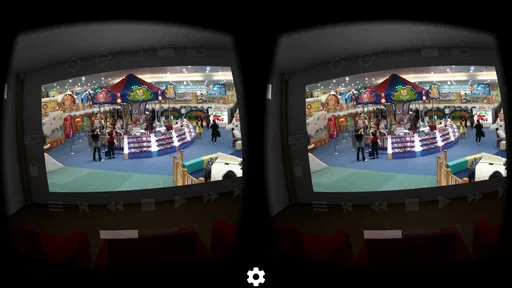
Now, let's talk about the actual VR experience. The app supports a wide range of formats, so whether you're into 2D, 3D, 180°, or 360° videos, VRTV VR Video Player has got you covered. The quality is top-notch, and it genuinely feels like you’ve been transported into another world. It's not just watching; it's experiencing.
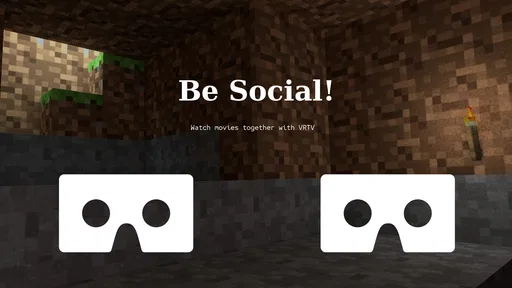
One feature that really stands out is the synchronization option. Imagine watching a VR movie with a friend who's miles away. Sounds futuristic, right? Well, with this app, it's a reality. Sync up your movie, put on your headset, and enjoy the show together. It’s like having your own virtual theater.
Customization and Settings
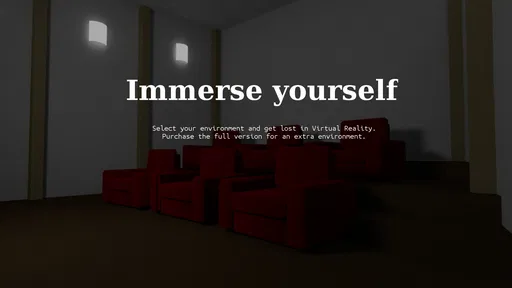
Customization is where VRTV truly shines. You can tweak settings to your heart's content. Whether you want to adjust the screen size, change the background environment, or even toggle between different viewing modes, the app offers a plethora of options. This flexibility ensures that your viewing experience is tailored precisely to your preferences.
The app also provides a handy control panel that's accessible with a simple swipe. You can pause, rewind, or forward videos effortlessly. And if you’re someone who loves fiddling with settings, you’ll appreciate the detailed options available. It's like having a remote control with all the bells and whistles.
Performance and Usability
On the performance front, the app is buttery smooth. I tested it on various devices, and the playback was seamless across the board. No lagging, no crashing. Just pure, uninterrupted VR joy. The developers have clearly put a lot of thought into making this app as user-friendly and stable as possible.
One small tip: make sure your device is VR-ready and has a good battery life. VR can be resource-intensive, and you wouldn’t want your immersive experience to be cut short.
Price, compatibility, and what to expect
VRTV is a paid video player from Chai Software, priced at $2.49. I’d think of that as a modest one-time decision only if VR video is something you expect to watch more than occasionally. If you are still unsure whether you enjoy headset viewing, try a suitable free option first; the more specialized controls have little value until you know you like the format. The app is rated for Everyone, has a 3.5 average from around 700 ratings, and has been installed over 10,000 times.
The current release is version 3.6.1, and it runs on Android 4.4 or later. That minimum makes it accessible to older Android devices on paper, but a compatible operating system does not guarantee that every phone will feel comfortable or play every demanding file well. Before paying, I’d check the headset and phone you actually plan to use, and make sure your videos are in a format you can access on that device.
A sensible routine for a first viewing
For an ordinary evening, I’d choose one short clip, charge the phone, and place the video somewhere easy to find before putting on the headset. I’d open it once without the headset to confirm that it appears in the library, then check the viewing mode and screen size. This is a more useful first run than launching a long video immediately: it separates basic file and framing questions from comfort questions, and makes it easier to tell what needs adjusting.
If you plan to watch with someone else, the synchronization option described above is the part to investigate before arranging a shared session. A synced viewing experience is most enjoyable when both people have the same clip ready and have tested the setup in advance. I would not make a first-time headset session depend on coordinating a long movie remotely; confirm that the controls and playback suit you on your own first, then make the shared viewing the next step.
How it compares with familiar alternatives
Against a standard phone video player, VRTV’s reason to exist is the immersive viewing workflow: support for VR-oriented layouts, controls intended for headset use, and settings such as screen size and environment. A general player remains the sensible choice for ordinary videos because it avoids paying for specialist features you may never use. The comparison is less about one app being universally better and more about whether the video itself benefits from being watched inside a headset.
It is also a different proposition from a service built around streaming or browsing a catalogue. With a local-file player, your own collection matters; you are choosing and managing the material rather than relying on an online library to supply it. That can be a strength for personal recordings or clips already saved on your device, but a drawback if you want effortless discovery. I would choose VRTV for playing suitable files I already have, and a streaming option when finding new content is the main task.
What the rating suggests—and what it cannot decide
An average of 3.5 from around 700 ratings suggests a mixed rather than universally enthusiastic response. I would treat that as a reason to be realistic, not as a verdict on whether the app will suit your setup. VR playback depends on the phone, headset, file, and viewing preferences working together, so another person’s experience may not match yours. The useful question is whether you need a dedicated player for a real collection, not whether a rating alone promises a flawless session.
My practical recommendation is to start with the simplest test that answers your own question: can the app find a video you already want to watch, does the right viewing mode make it look natural, and can you use the controls comfortably with your headset on? If those basics work, the specialized settings and synced viewing give you reasons to keep exploring. If the content looks wrong or the headset is uncomfortable, buying a player is unlikely to solve the underlying problem.
Final Thoughts
To wrap up, if you're in the market for a VR video player that combines ease of use with a rich feature set, VRTV VR Video Player should be your go-to app. It’s more than just a video player; it’s a gateway to a universe of endless possibilities. So, why not take the plunge and download it today? Trust me, you won't regret it.
My more measured verdict is that VRTV makes sense when you already have VR videos and want a dedicated way to browse, frame, and watch them. The format flexibility and headset-friendly controls are appealing, while the paid price and the need for a suitable phone, headset, and files make it a less convincing impulse purchase. For someone who watches immersive clips regularly, it is worth considering; for casual flat-video playback or online content discovery, I’d pick a simpler or more streaming-oriented alternative.
Verdict
Strengths of VRTV VR Video Player
- Immersive VR experience with 3D support.
- Supports a wide range of video formats.
- Customizable virtual environments.
- Easy-to-use interface with gesture controls.
- Regular updates and active community.
Limitations of VRTV VR Video Player
- Requires a compatible VR headset.
- Battery drains quickly in VR mode.
- Limited to locally stored videos.
- Initial setup can be confusing.
- High-quality videos may lag on older devices.
Similar Picks in This Category
View All
Google TV
Google LLC3.9

iTunes
Apple4.7

YouTube
Google LLC3.8

MX Player
Amazon Mobile LLC4.2

CapCut - Video Editor
Bytedance Pte. Ltd.3.5

PLAYit-All in One Video Player
PLAYIT TECHNOLOGY PTE. LTD.4.5
Frequently Asked Questions
What is VRTV VR Video Player and what does it offer?
VRTV VR Video Player is a versatile virtual reality app that allows users to watch videos in a VR environment. It supports a wide range of video formats and offers features like 3D video playback, subtitle support, and synchronized viewing with friends. It enhances the VR experience by providing immersive viewing options.
Which devices and VR headsets are compatible with VRTV VR Video Player?
VRTV VR Video Player is compatible with both Android and iOS devices. It works seamlessly with most popular VR headsets such as Google Cardboard, Samsung Gear VR, and Oculus devices. Ensure your device meets the app's hardware requirements for the best performance and experience.
Does VRTV VR Video Player support 3D and 360-degree videos?
Yes, VRTV VR Video Player supports both 3D and 360-degree videos. Users can enjoy immersive video experiences with customizable settings for different types of 3D content. The app also provides options to adjust the field of view and other parameters to enhance video playback quality.
Can I watch videos with friends using VRTV VR Video Player?
VRTV VR Video Player offers a unique feature called "Watch Together," allowing users to synchronize video playback with friends. This feature works over a local network, enabling a shared viewing experience in a virtual environment. It’s perfect for enjoying movies or videos with friends, even when apart.
What are the in-app purchase options available in VRTV VR Video Player?
VRTV VR Video Player offers a free version with basic features. However, users can upgrade to the Pro version via in-app purchases to unlock advanced features like ad-free experience, more customization options, and enhanced video quality. Consider the upgrade for a more comprehensive VR experience.
